 The Oregon Coast
to show picture; click anywhere else (Apple IOS: refresh page) to hide picture.
The Oregon Coast
to show picture; click anywhere else (Apple IOS: refresh page) to hide picture.NOTE: Click on
brown text
The Oregon Coast
to show picture; click anywhere else (Apple IOS: refresh page) to hide picture.
Power up the CNC and watch the monitor for any indication:
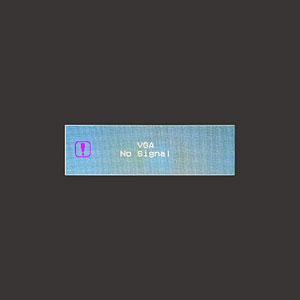 Power to monitor, but no signal then go blank. See "No Signal to Monitor" below.
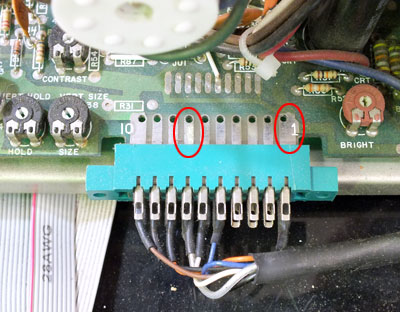 CRT Monitor Edge Connector If you measure about 12 vdc, see "No Signal to Monitor" below.
No Signal to Monitor:
 Remove cover, screws, stow front panel and verify that the monitor cable
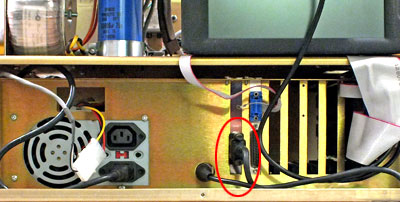 Verify that monitor is plugged in. is plugged in. If the monitor is plugged in, first try unplugging and replugging it. Replace the front panel, being careful not to pinch any wires between chassis and front panel. Power up the CNC: If the symptom is the same, any VGA desktop monitor can be temporarily plugged in. If the desktop monitor displays normal boot-up messages, replace the monitor (part number 995-16-019).
captiongoeshere and verify that the monitor cable
Verify that monitor is plugged in. is plugged in. If the monitor is plugged in, first try unplugging and replugging it. Replace the front panel, being careful not to pinch any wires between chassis and front panel. Power up the CNC: If the symptom is the same, any VGA desktop monitor can be temporarily plugged in. If the desktop monitor displays normal boot-up messages, replace the monitor (part number 995-16-019).
captiongoeshere and verify that the monitor cable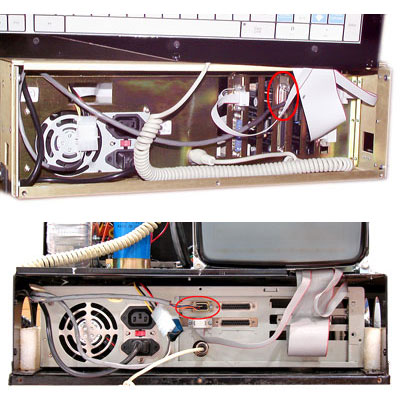 Verify that the monitor is plugged in. is plugged in. If the monitor is plugged in, first try unplugging and replugging it. Replace the front panel, being careful not to pinch any wires between chassis and front panel. Power up the CNC: If the symptom is the same, the monitor may have failed. If you have another OmniTurn with amber monitor, you could borrow that monitor and replace suspect bad monitor to verify failure. If the monitor has failed, order "LCD Monitor Kit", p/n 995-16-019.
No Power to Monitor:
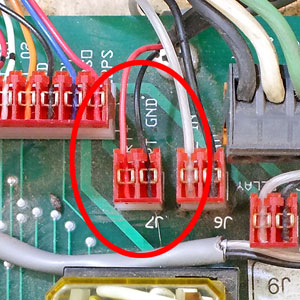 Monitor power connectionconnection on the connect card
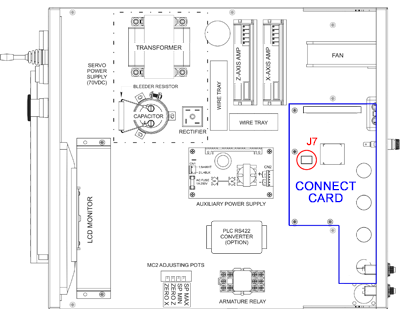 Locate J7 on Connect Card. Unplug J7, and examine the wires to insure they are both connected, and replug J7. Power up the CNC while watching the monitor for any display. If no display, measure DC volts across the red and black wires on J7;Monitor power connection if voltage is 12 to 13 volts, replace the monitor (part number 995-16-019).
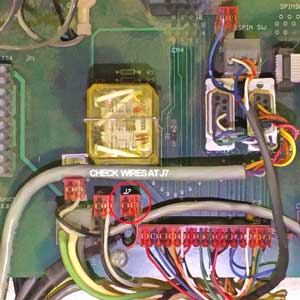 Monitor power connectionconnection on the connect cardLocate J7 on Connect Card. Unplug J7, and examine the wires to insure they are both connected, and replug J7. Power up the CNC while watching the monitor for any display. If no display, measure DC volts across the red and black wires on J7;Monitor power connection if voltage is 12 to 13 volts, recheck voltage between pin 1 and pin 7 on the CRT monitor edge connector.CRT Monitor Edge Connector If you have 12 to 13 volts here, the monitor has failed: order "LCD Monitor Kit", p/n 995-16-019.